Bitbucket
AI code review for Bitbucket
Revix is one of the few AI code reviewers with native Bitbucket support. Connect your workspace and get senior-level reviews on every Bitbucket pull request, built on full codebase context.
What a Revix review looks like on Bitbucket
Revix reviews Bitbucket pull requests the way a senior engineer would: it knows your codebase, comments with intent, and keeps your Jira board in sync.
Full codebase context, not just the diff
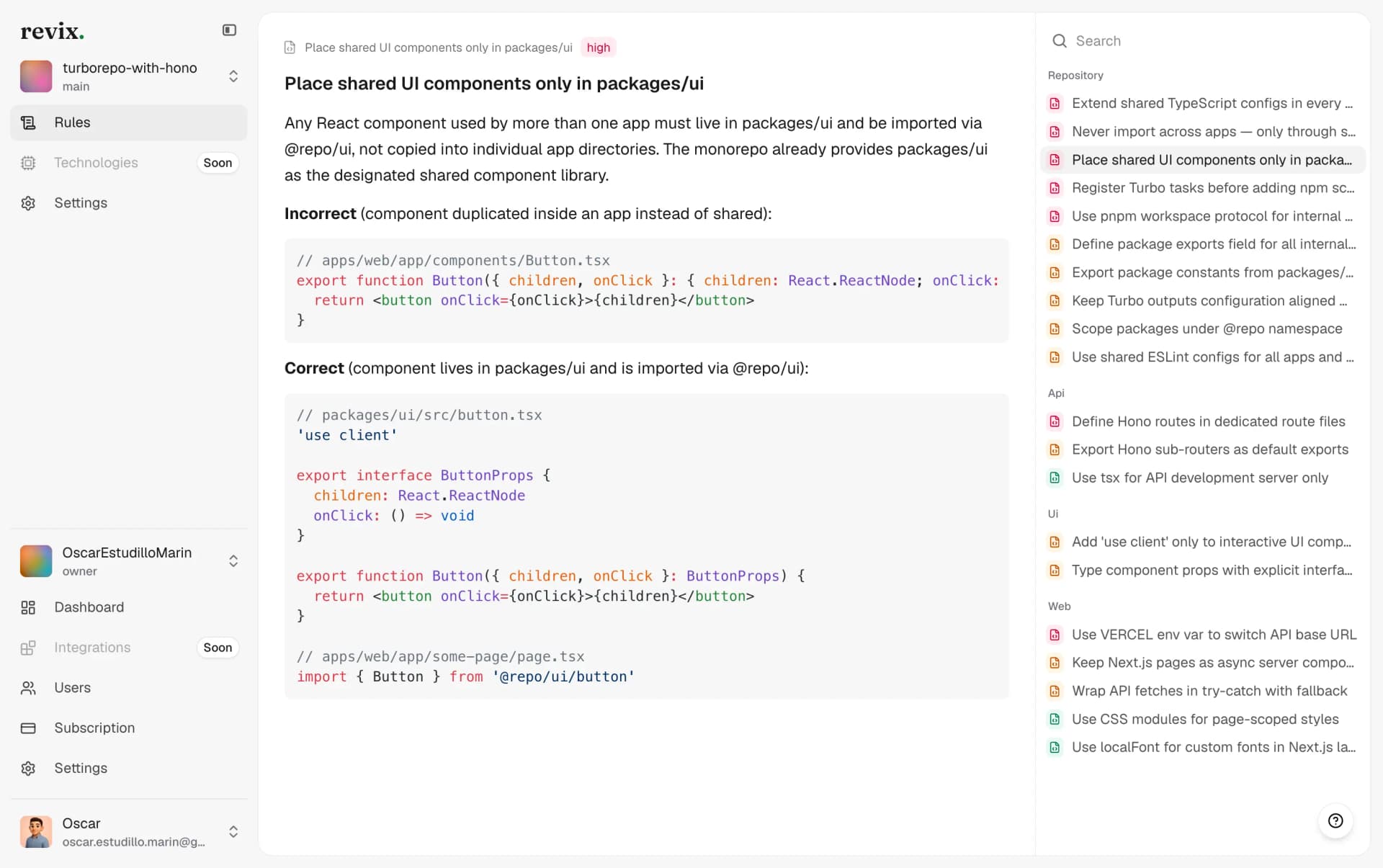
Revix reads your entire repository, learns your conventions, and derives review rules from how your team already writes code. Every Bitbucket review is grounded in the whole project, so it catches issues a diff-only tool never sees.
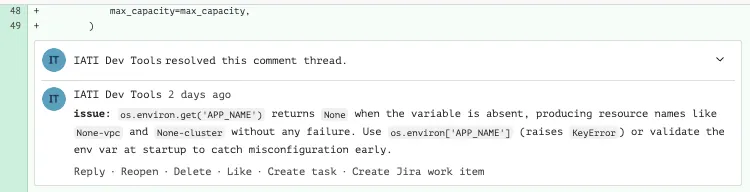
Comments written like a senior engineer
Each comment is labeled by intent, from blocking issues to nitpicks, and links straight to a Jira work item. When you fix the problem in a later commit, Revix resolves its own comment thread automatically.
Pull request summaries with Jira context
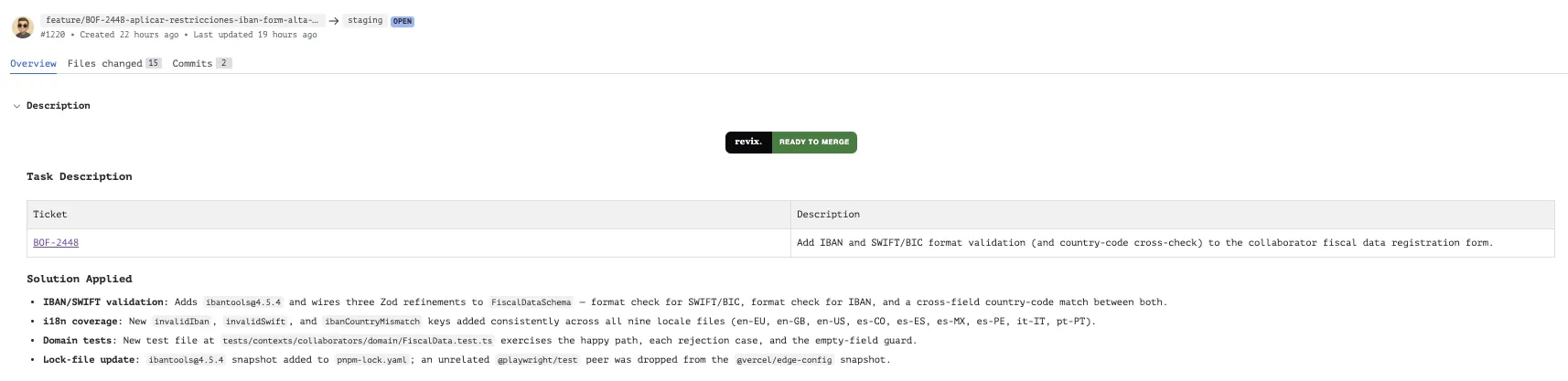
Revix summarizes what a Bitbucket pull request changes and flags when it is ready to merge. Pair it with Jira in a click, a natural fit if you already run on Atlassian, and every summary links the ticket behind the pull request so reviewers get the full picture before they read a single line.
Get Revix reviewing your Bitbucket repos
01
Sign in with Bitbucket
Create your Revix account with a single click using your Bitbucket credentials. No new password, no manual API tokens.

02
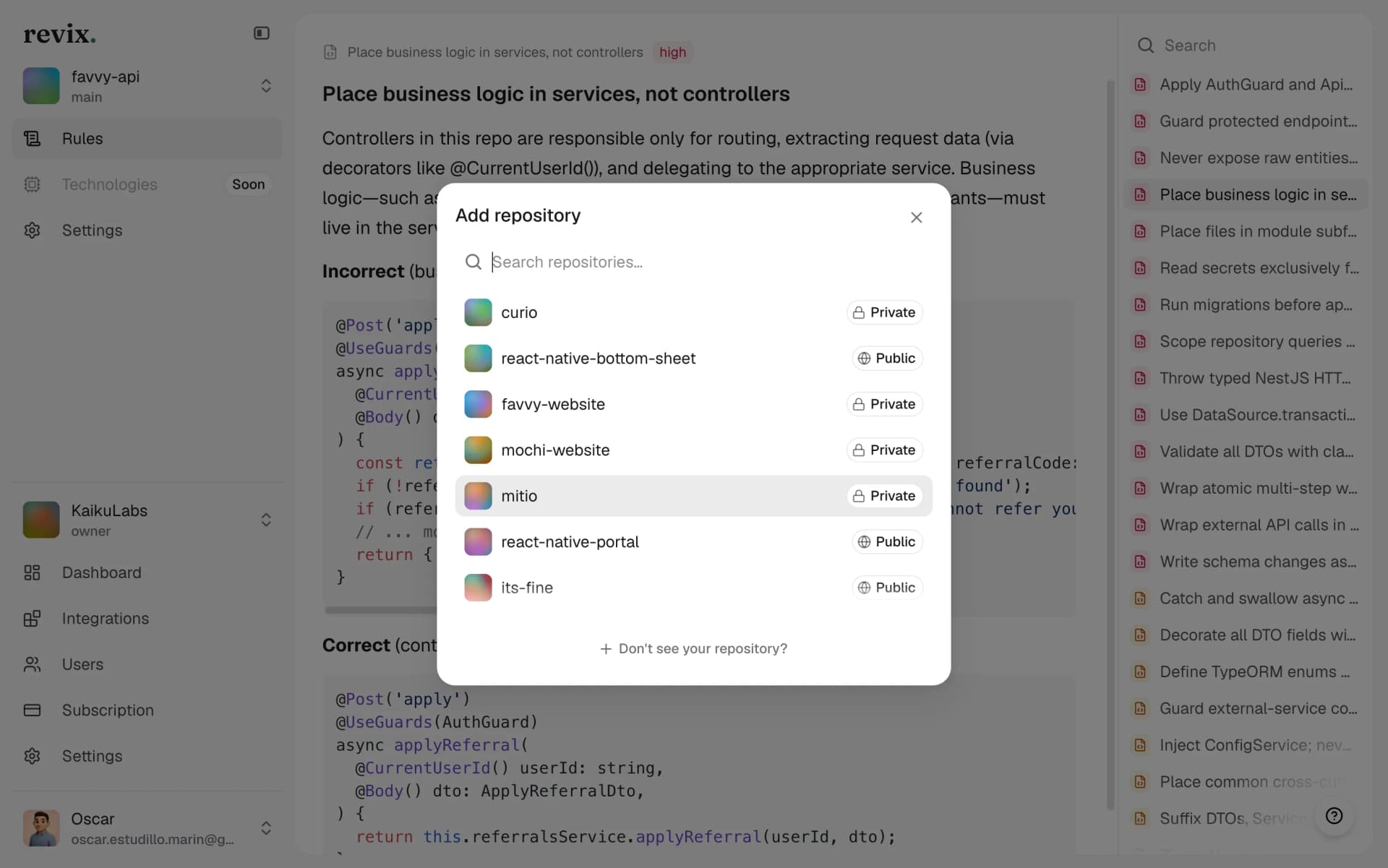
Add the repositories you want reviewed
Pick the Bitbucket repositories you want under review. Nothing runs on repos you do not select.
03
Open a pull request
Revix reviews every new Bitbucket pull request automatically. No pipeline changes, no config file, no extra commands in your workflow.
Bring senior-level reviews to your Bitbucket workflow
Start a 14-day free trial. No credit card required.
Start free trial